LiveHub can be installed as a standalone app (a PWA) on your desktop. The installed app runs in its own window without browser chrome and opens straight to your launcher, so it’s handy for hosting games. It’s the same LiveHub — just quicker to reach and running in its own window.

Install it

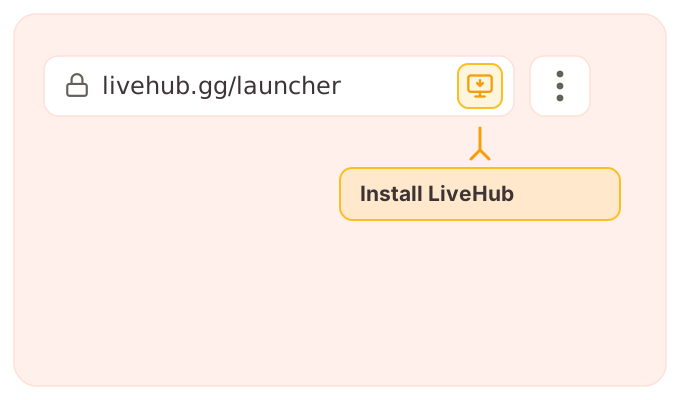
The install option shows up as soon as the page loads — where it lives depends on your browser.
Open livehub.gg, then either:
  • Click the install icon in the address bar, or
  • Open the browser menu () and choose Install LiveHub (or Install app).
Chrome address bar with the install icon highlighted
Firefox on desktop doesn’t support installing web apps. Use Chrome, Edge, Brave, or Safari — or pin livehub.gg as a bookmark or pinned tab in Firefox instead.

After installing

  • LiveHub opens in its own window, without the address bar or browser tabs.
  • Launching it from your dock or taskbar takes you to the launcher every time.
  • To remove it, uninstall it like any other app (or from your browser’s installed-apps list).